
Cómo pedir transfers DTF por tamaño
DTF transfers by size are for one design (or a few copies of it) printed at the exact size you need. You pay only for the area: $0.05 per square inch. Follow these six steps; the numbers in each picture match the ones below.
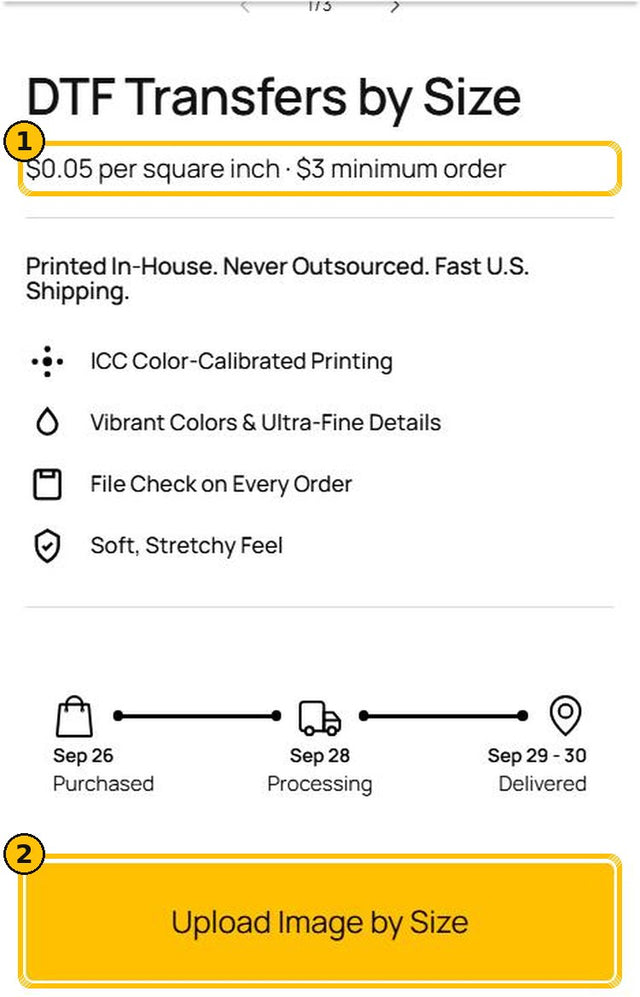
1Open DTF Transfers by Size
- 1Check the price: $0.05 per square inch, with a $3 minimum order.
- 2Tap Upload Image by Size.
Several different designs? A gang sheet usually costs less per design.
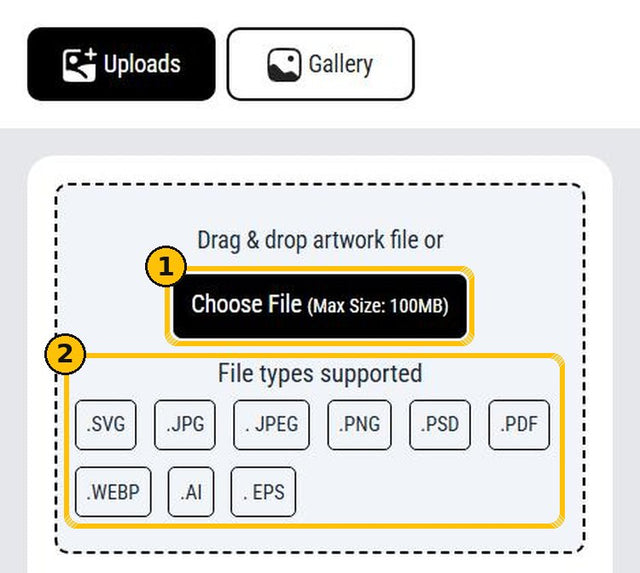
2Upload your file
- 1Tap Choose File or drag your file into the box (up to 100 MB).
- 2Accepted: SVG, JPG, JPEG, PNG, PSD, PDF, WEBP, AI and EPS.
Best results: PNG with a transparent background at 300 DPI. See our Artwork Guidelines.
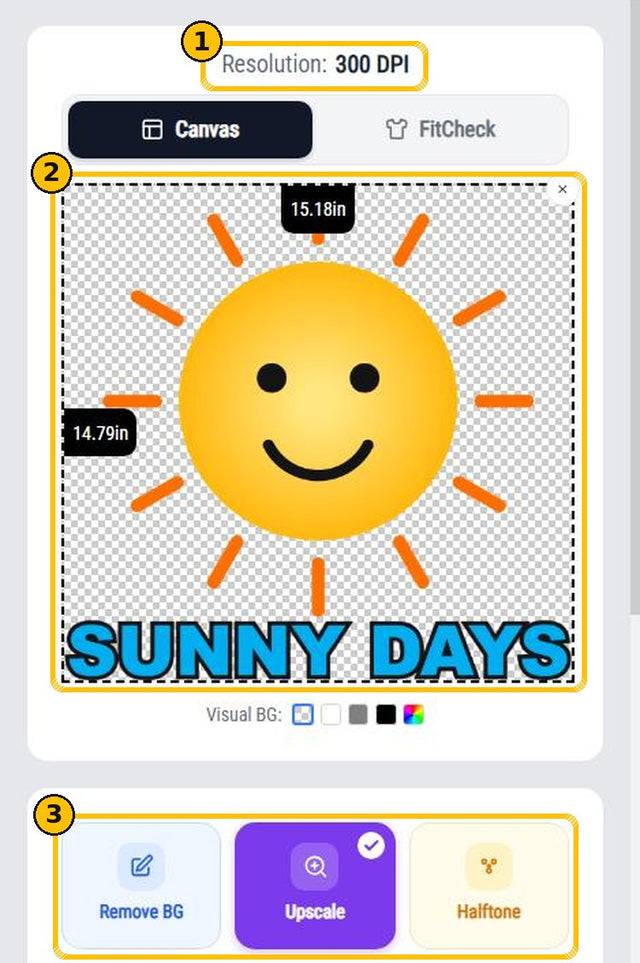
3Check your design
- 1Resolution: aim for 300 DPI.
- 2The preview shows your design and its size in inches. The checkered area is transparent and will not print.
- 3Optional tools: Remove BG for a solid background, Upscale for low-resolution files and Halftone for a halftone effect.
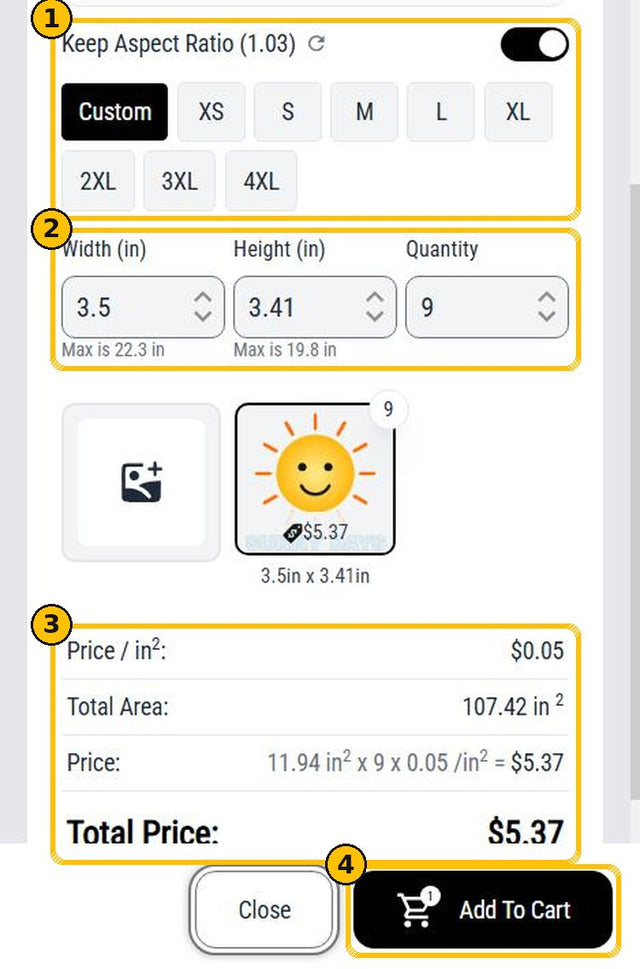
4Choose size and quantity
- 1Keep Keep Aspect Ratio on so your design does not stretch. Use Custom or a preset size.
- 2Type the width or height in inches and the quantity. The maximum shows under each field.
- 3The price updates as you go. Example: 3.5 × 3.41 in = 11.94 sq in × 9 copies × $0.05 = $5.37.
- 4Tap Add To Cart.
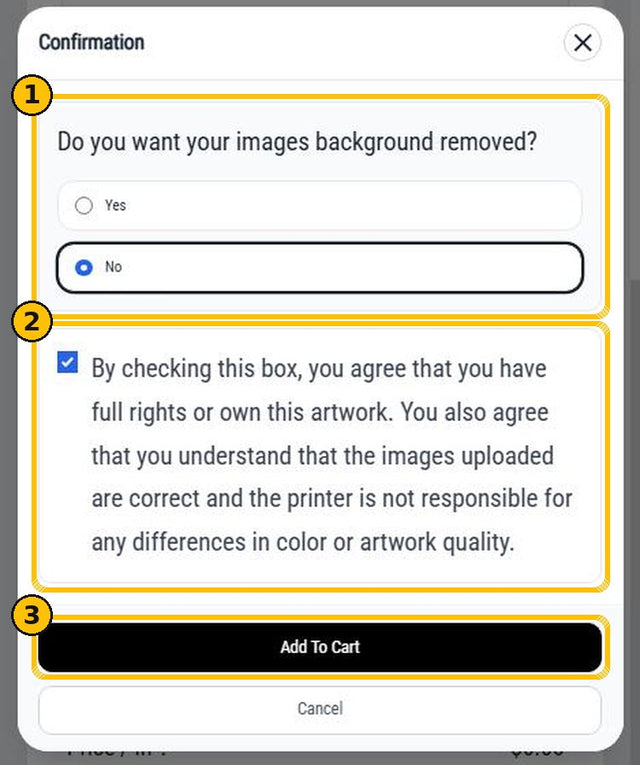
5Confirm
- 1Background removed? Choose Yes if your file has a solid background you want removed. It's free: our design team removes it by hand.
- 2Check the box to confirm you own the design or have permission to print it.
- 3Tap Add To Cart.
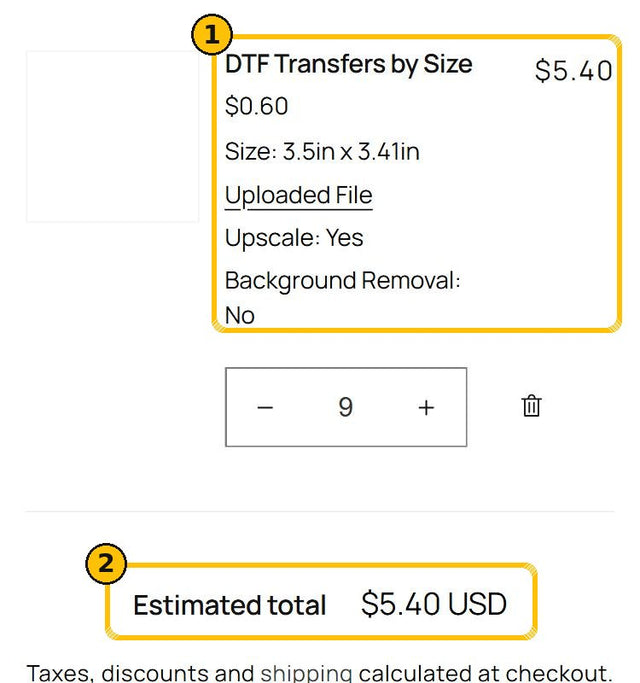
6Review your cart and check out
- 1Your cart shows the size, your file and the options you chose.
- 2Check the total and tap Check out. The cart rounds each copy to the cent, so it can differ from the builder by a few cents.
We check every file before printing and contact you if something needs attention. Production takes 24 to 48 hours after file approval.
Questions?
Message us through our contact form or on WhatsApp at (656) 227-2001.
Next: How to Press DTF Transfers · How to Build a Gang Sheet
Los transfers DTF por tamaño son para un diseño (o varias copias del mismo) impreso al tamaño exacto que necesitas. Pagas solo el área: $0.05 por pulgada cuadrada. Sigue estos seis pasos; los números de cada imagen corresponden a los de abajo. Los botones del editor aparecen en inglés, por eso los escribimos igual que en la pantalla.
1Abre DTF Transfers by Size
- 1Revisa el precio: $0.05 por pulgada cuadrada, con un pedido mínimo de $3.
- 2Toca Upload Image by Size.
¿Varios diseños distintos? Un gang sheet suele salir más barato por diseño.
2Sube tu archivo
- 1Toca Choose File o arrastra tu archivo al recuadro (hasta 100 MB).
- 2Aceptamos SVG, JPG, JPEG, PNG, PSD, PDF, WEBP, AI y EPS.
Mejor resultado: PNG con fondo transparente a 300 DPI. Mira nuestra Guía para tu arte.
3Revisa tu diseño
- 1Resolution: apunta a 300 DPI.
- 2La vista previa muestra tu diseño y su tamaño en pulgadas. El área de cuadritos es transparente y no se imprime.
- 3Herramientas opcionales: Remove BG para un fondo sólido, Upscale para archivos de baja resolución y Halftone para un efecto de medios tonos.
4Escoge tamaño y cantidad
- 1Deja encendido Keep Aspect Ratio para que tu diseño no se estire. Usa Custom o un tamaño predefinido.
- 2Escribe el ancho o el alto en pulgadas y la cantidad. El máximo aparece debajo de cada campo.
- 3El precio se actualiza al instante. Ejemplo: 3.5 × 3.41 in = 11.94 pulgadas cuadradas × 9 copias × $0.05 = $5.37.
- 4Toca Add To Cart.
5Confirma
- 1¿Quitar el fondo? Escoge Yes si tu archivo tiene un fondo sólido que quieres quitar. No tiene costo: nuestro equipo de diseño lo quita a mano.
- 2Marca la casilla para confirmar que el diseño es tuyo o que tienes permiso para imprimirlo.
- 3Toca Add To Cart.
6Revisa tu carrito y paga
- 1Tu carrito muestra el tamaño, tu archivo y las opciones que escogiste.
- 2Revisa el total y toca Check out. El carrito redondea cada copia al centavo, así que puede variar unos centavos frente al editor.
Revisamos cada archivo antes de imprimir y te contactamos si algo necesita atención. La producción toma de 24 a 48 horas después de aprobar el archivo.
¿Preguntas?
Escríbenos por nuestro formulario de contacto o por WhatsApp al (656) 227-2001.
Sigue con: Cómo planchar transfers DTF · Cómo armar tu Gang Sheet